The Department · an add-on to your Storia plan

Your plan maps the year. The Department keeps it moving.

Think of it as your marketing department, on call inside your dashboard. Three tools write from your own plan whenever you ask: new posts for your calendar, more hooks for any post, and a Spotify editorial pitch for each release.
$39 a month on top of a Storia plan 14 days free Nothing charged today
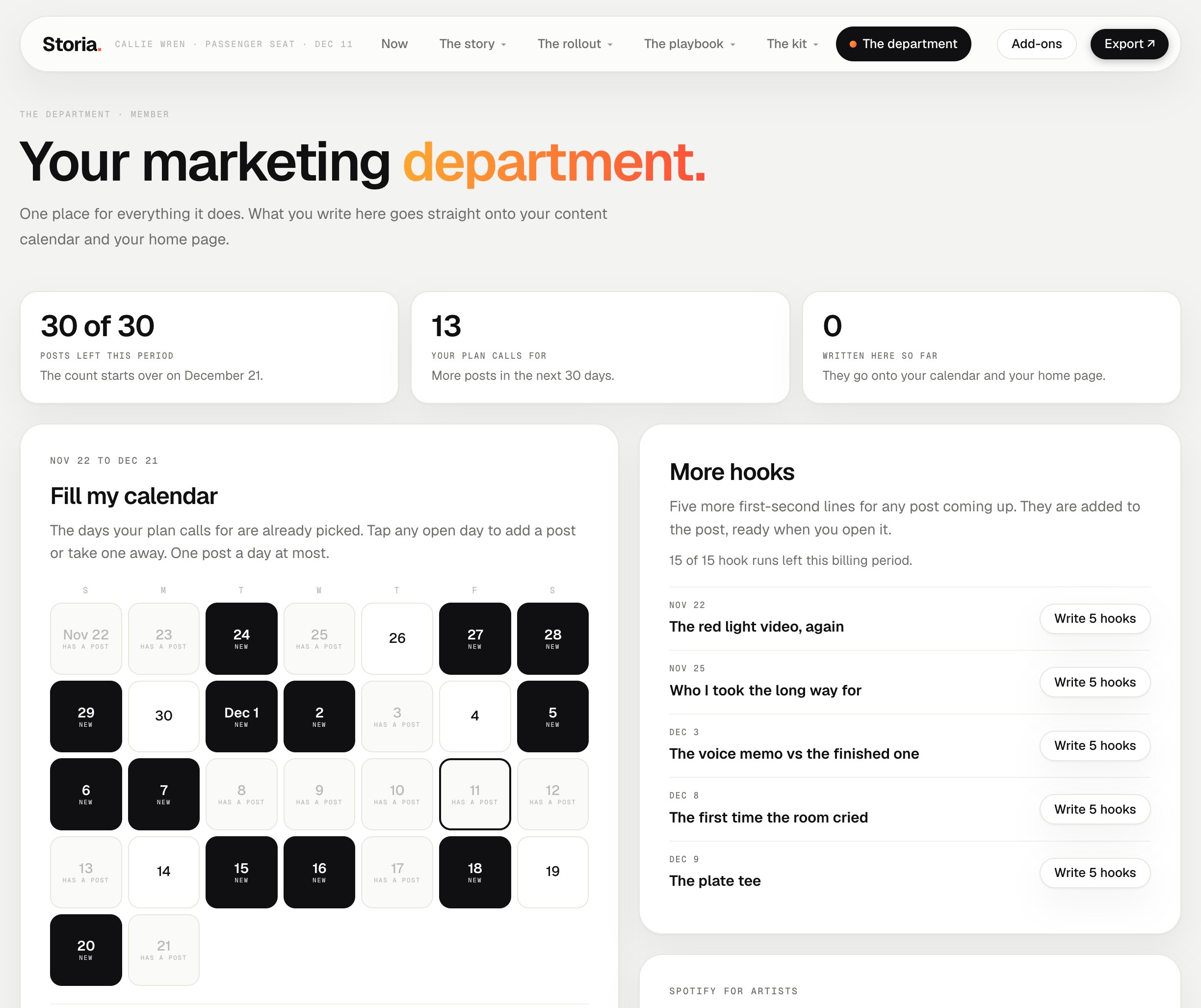
The department page in a Storia dashboard, showing posts left this period, what the plan calls for, and the Fill my calendar and More hooks tools
Your plan calls for 13 more posts
3 of 3 pitches left
(01)

Three tools, all on one page.

Everything they write is built from your own plan, in the same voice, and lands in the dashboard you already use.

01

Fill my calendar.

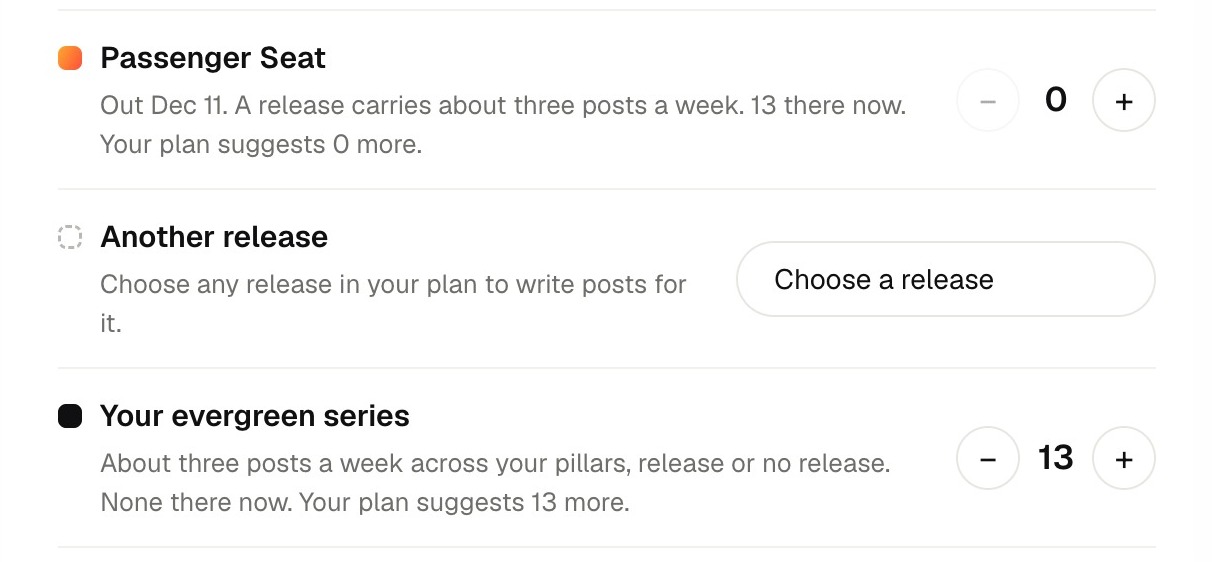
New posts for the next 30 days, placed on the open days of your calendar and your home page. The days your plan calls for come picked, and you can add or remove any day. Posts can be for any release in your plan or evergreen, for the weeks between releases.

Add a note to steer it: a tour, a shoot, something you want to say. Each post arrives complete: a title, what happens, a caption and its full production brief, the same as the posts in your plan.
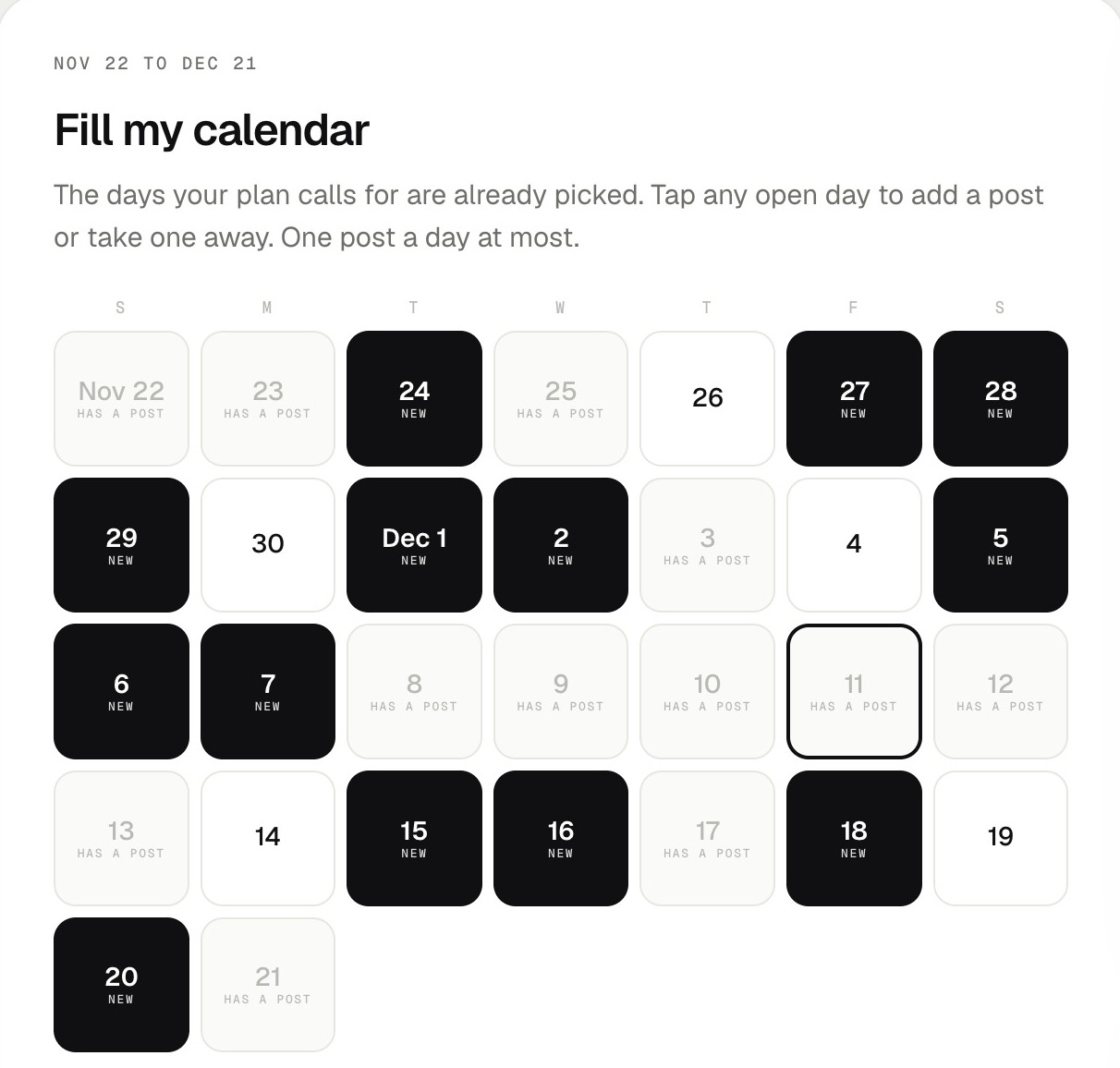
30 posts a month, one post a day at most
Fill my calendar, with the days the plan calls for already picked across the next 30 days Choosing how many posts to write for a release, another release, or the evergreen series
Write 13 posts
02

More hooks.

Five more on-screen hooks for any post, added under the hooks that post already has. Use them to test one video against itself, or to give older footage a second run.
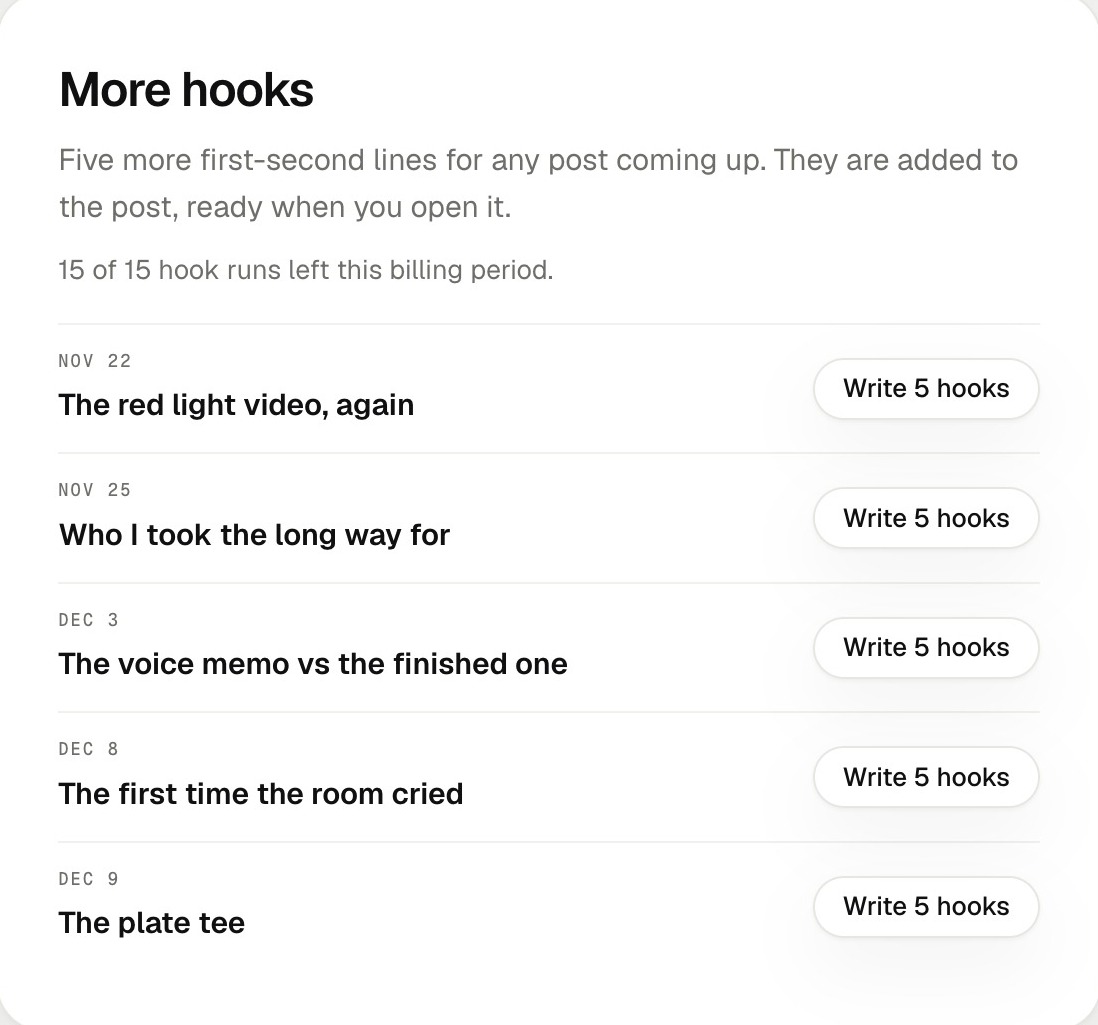
15 runs a month, which is 75 hooks
More hooks, listing upcoming posts each with a Write 5 hooks button
Write 5 hooks
03

The Spotify pitch.

The editorial pitch for a release, written in under 500 characters, with the playlists worth aiming at. When it needs to know the song better, it asks you a few questions first. The pitch is saved with that release, ready for you to paste into Spotify for Artists.
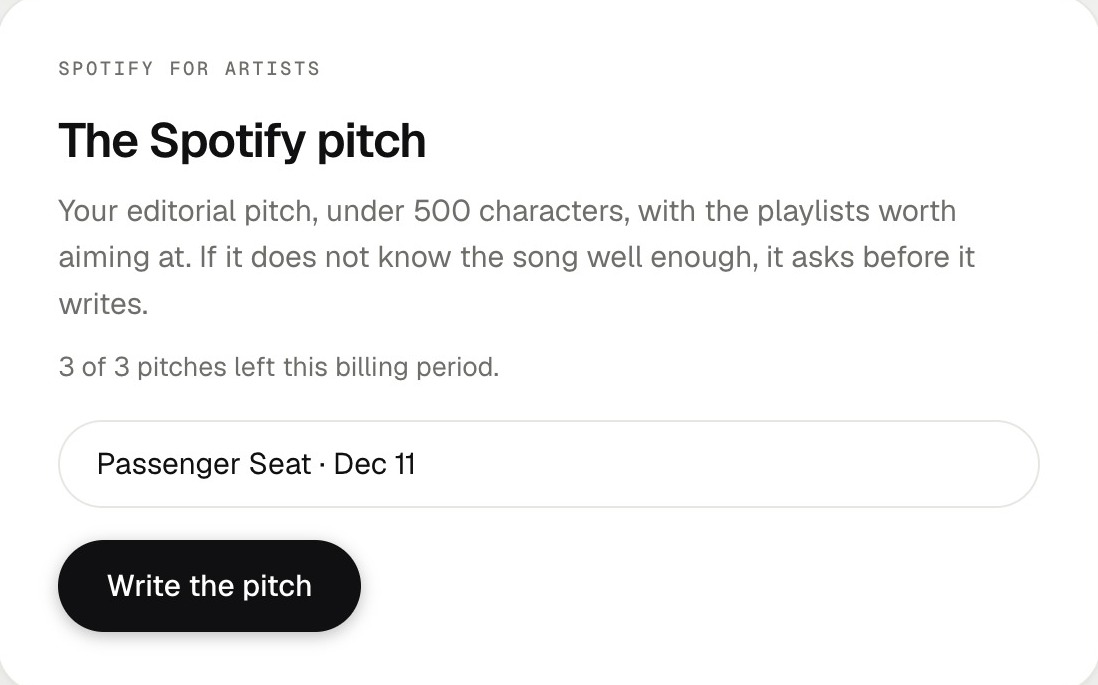
3 pitches a month, and a round of questions is free
The Spotify pitch tool with a release chosen and a Write the pitch button
Under 500 characters
(02)

It works when you ask it to.

The tools write when you open one and ask, so everything on your calendar is something you chose to put there.

Step 1
Open The department
One page in your dashboard holds all three tools, with what is left of each limit.
Step 2
Ask for what you need
Pick the days, the post or the release, and add a note if you want to steer it.
Step 3
It lands in your plan
New posts appear on your calendar, hooks under their post, and the pitch with its release.
Limits Each tool has a limit per billing month, and every limit starts over every 30 days.
(03)

What it handles, and what stays with you.

The Department does the writing. The posting, the accounts and the final call stay in your hands.

The Department handles
New posts for your calendar, for a release or for the weeks between
A title, what happens and a caption for every new post
A full production brief for every new post
Five more on-screen hooks for any post, each time you run it
The Spotify editorial pitch, with the playlists worth aiming at
All of it written from your plan and what you type into the tool
Stays with you
Posting and scheduling. You publish to Instagram and TikTok yourself, from your own accounts
Sending the pitch. You paste it into Spotify for Artists
Ads, comment automation and replies to fans
Trends and your account numbers. The tools write from your plan and your notes
Your plan itself. It stays as it is, with the revision rounds it came with
A strategist's eye. That is the Austere Review, sold separately
(04)

One price, and how the billing works.

The Department
$39 a month

An add-on to a Storia plan. The first 14 days are free and nothing is charged today.

Fill my calendar30 posts a month
More hooks75 hooks a month
The Spotify pitch3 pitches a month
Build my plan
Free days14 days, starting when your plan goes live or 24 hours after you join, whichever comes first.
First charge$39 on the day your free days end.
ReminderOne email a week before the first charge, with the date.
After that$39 on the same day each month until you cancel.
CancelAny time, from Manage membership in your dashboard's account menu, or by writing to plans@bystoria.com. Cancel before the first charge and you pay nothing.
When you cancelFuture charges stop and the tools lock. Your plan and dashboard stay exactly as they are.
ChargesCharges already made are final, as the terms say.
Next What ships next lands inside the membership, at the same price.
(05)

Five questions

Do I need a Storia plan first?

Yes. The Department is an add-on, and everything it writes is built from your plan, so the plan comes first.

Does it post for me?

You do the posting. The Department writes the posts, hooks and pitch, and you publish from your own accounts and paste the pitch into Spotify for Artists.

Does a person review what it writes?

The tools write directly from your plan. For a strategist's pass on your plan, there is the Austere Review, which is sold separately.

How do the monthly limits work?

Each tool has its own limit per billing month, and every limit starts over every 30 days. The Department page shows how much is left and the day it starts over.

What happens to my plan if I cancel?

Your plan and dashboard stay exactly as they are, including everything The Department has already written. The three tools lock until you join again.

The Artist OS™ [operating system]

Start with the plan. Add The Department when you want more.

$39 a month on top of your Storia plan, with 14 days free and nothing charged today.

Build my plan I have a plan, add The Department